
See where every MTD client stands,
at a glance
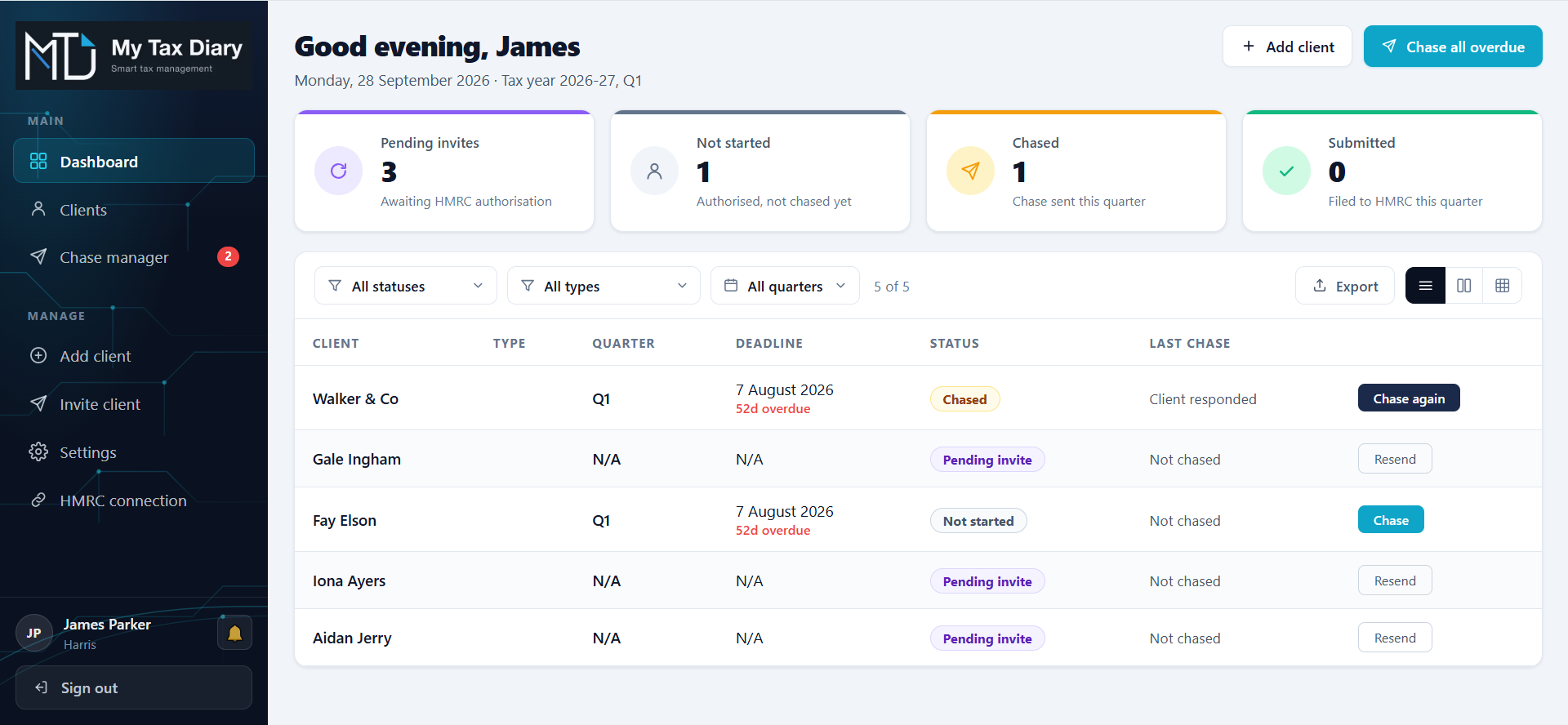
My Tax Diary shows you which sole trader and landlord clients have submitted their quarterly updates, what each one owes HMRC and when it is due. It also emails clients to ask for their figures, so the chasing doesn't all land on you.
It works alongside the software you already file with, so there is nothing to switch and nothing to re-enter.
No card needed.
MTD for Income Tax is live, and your client list is about to grow
Since 6 April 2026, sole traders and landlords with qualifying income over £50,000 have had to keep digital records and send HMRC four quarterly updates a year. The threshold drops to £30,000 in April 2027 and £20,000 in April 2028, so more of your clients are on their way.
Every one of them has their own deadlines, their own figures and their own tax to pay. That is where things slip.
Know who has submitted
One dashboard for your whole client book. See each client's quarterly updates and final declaration, with the status taken from HMRC, not from a spreadsheet someone forgot to update.
Learn more →Stop chasing from your own inbox
My Tax Diary emails clients to ask for their quarterly figures, using templates you choose. Their replies come straight to your inbox, so you can get on with the update.
Learn more →Answer "what do I owe?" in seconds
See each client's liability and due dates without logging in to HMRC. When a client rings, the answer is already on your screen.
Learn more →Give every client their own view
Each client gets a simple portal showing their submissions, what they owe and how to pay it. A better service for them, and fewer calls for you.
Learn more →See payments coming before they land
Keep track of payments on account and balancing payments across your whole book, with the amounts and dates in one place.
Learn more →Four simple steps, and you keep filing where you file today
Add your client
Enter their name, UTR and National Insurance number. My Tax Diary sends them a link to authorise you through HMRC.
They approve the request
Once they do, their HMRC data appears in your dashboard.
See the full picture
Check each client's submission status, liability and due dates, pulled from HMRC.
File as you do now
Submit through your usual software. My Tax Diary picks up the new status on its next refresh, ready for the next quarter.
You will need your firm's HMRC Agent Services Account, which you will already have.
A client portal that answers the questions they keep ringing you about
Every client you connect gets their own login to a simple, jargon-free dashboard. It shows them:
There is nothing for them to set up and no bookkeeping to wade through. It is a clear answer to "what do I owe, and when?", and you can offer it as part of your service.
Figures shown are as reported by HMRC.
Questions practices ask us
Does My Tax Diary replace my filing software?
Does it work for both sole traders and landlords?
Can it change anything on my clients' HMRC records?
How up to date is the information?
What do I need to get started?
What do the client chasers do?
See your whole client book in one place
Try My Tax Diary free for 7 days. No card needed. If you would rather see it first, book a 20-minute walkthrough.
client stands.