
Everything you need to keep on top of MTD across your client book
See who has submitted, what each client owes and when, chase for figures, and give clients a simple portal. It works alongside the software you already file with.
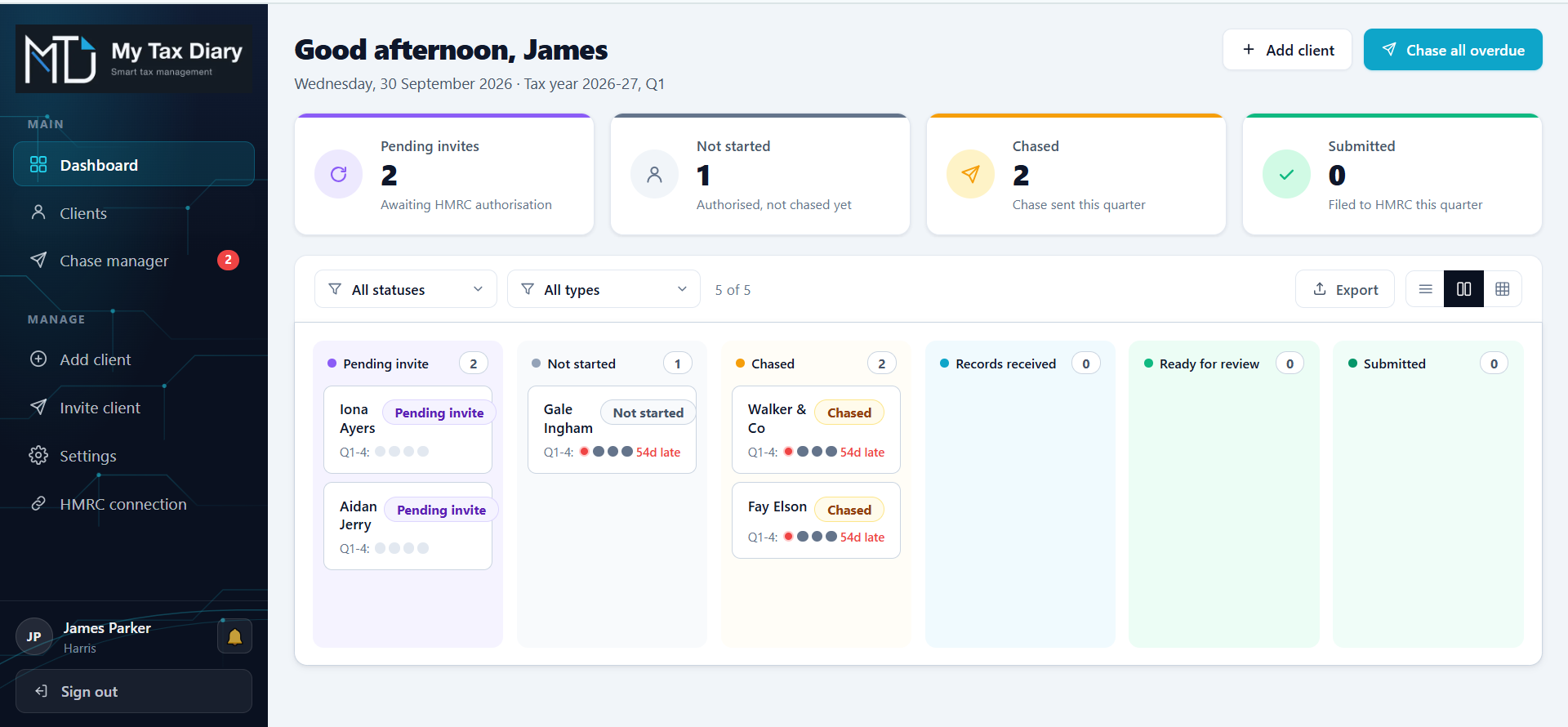
Know who has submitted, across your whole client book
See every client's quarterly updates and final declaration in one place, with the status taken from HMRC. Use the kanban board when you want a visual overview of who is waiting and who is done. Switch to the list when you want to sort, filter and work through clients one by one.
- Status from HMRC, not a spreadsheet someone forgot to update
- Kanban board and list views of your whole client book
- Filters to find exactly who needs attention
Answer "what do I owe?" without logging in to HMRC
See each client's liability, payments on account, balancing payments and due dates on screen, so when a client rings you already have the answer. Figures are read from HMRC.
- What each client owes, and when it is due
- Payments on account and balancing payments
- Every connected client in one place
Example
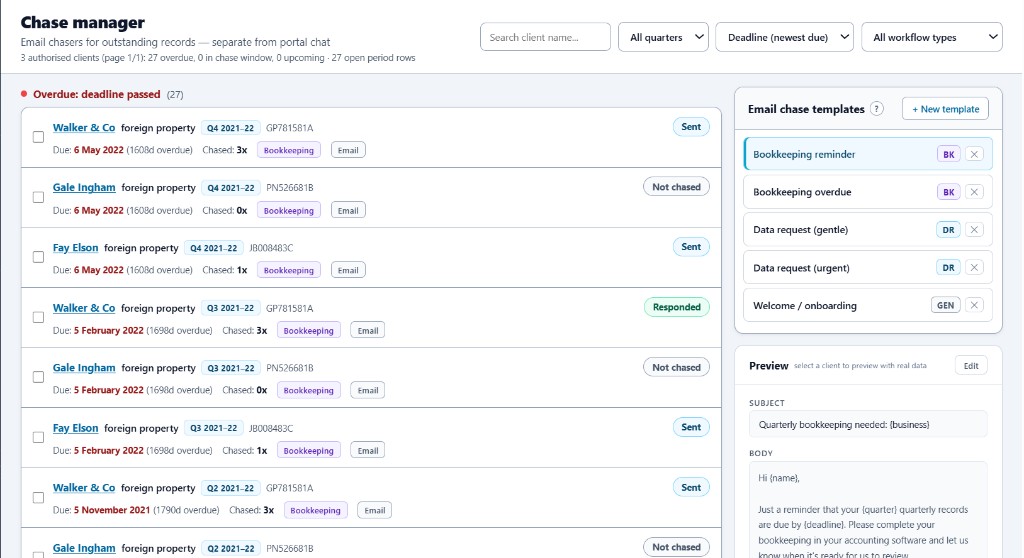
Stop chasing for figures from your own inbox
Set up your chase templates once, then email clients before each quarterly deadline to ask for their figures. Replies come straight to your inbox, so you can get on with preparing the update. Every chaser is logged, so you can see what went out and when.
- Templates you choose, sent when you need them
- A log of every chaser sent and when
- Replies go straight to your own inbox
Share the workload with your team
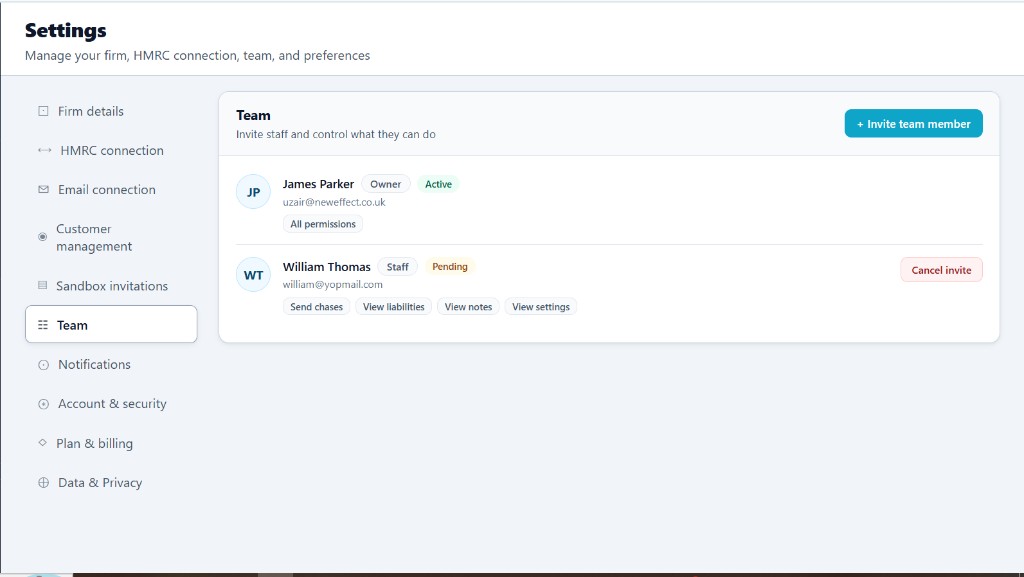
Add your staff, assign clients to each person, and let them chase and manage the clients they are responsible for. The chaser log keeps a record of what went out and when, so nothing falls between the cracks.
- Invite staff from Settings
- Assign clients to the right member of your team
- Staff chase and manage the clients assigned to them
A simple portal for every client
Every connected client gets their own login to a clear, jargon-free dashboard. It shows their quarterly submissions, their latest liability and how to pay. It is a better service for them, and fewer "where do I stand?" calls for you.
- Their submissions and what they owe, with dates and amounts
- Payments on account and balancing payments
- Clear guidance on how to pay
Figures shown are as reported by HMRC.
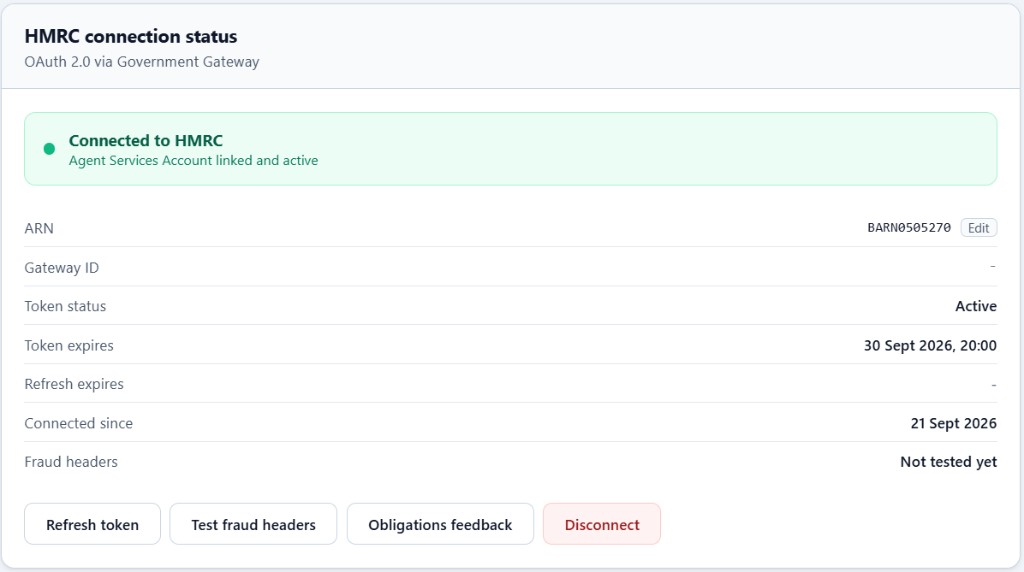
Connected to HMRC, with read-only access
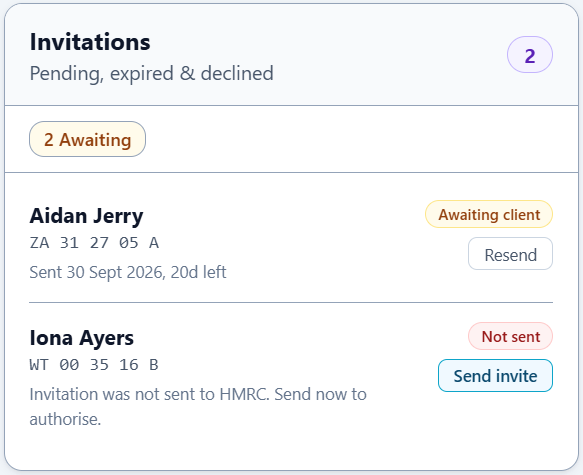
Connect your firm once, then add each client's name, UTR and National Insurance number. We send them a link to authorise you through HMRC. From then on, their submission status, obligations and balances are refreshed from HMRC daily.
You keep filing with the software you use today, and My Tax Diary picks up the new status afterwards.
- One connection for your firm
- Clients authorise you through a link we send them
- Self-employment and UK property income
See your whole client book in one place
Try My Tax Diary free for 7 days. No card needed. If you would rather see it first, book a 20-minute walkthrough.